Pokemon Paradise Online First Time Setup Guide: Difference between revisions
From Poké Everworld Online
Jump to navigationJump to search
Created page with " == First Time Setup Guide == Welcome to Pokémon Paradise Online! Follow the steps below to configure your adventure. {| class="wikitable" style="width: 100%;" !Step !Screenshot !Details |- | align="center" |'''1. Difficulty Level''' |center|link=|300x300px |Select your preferred game difficulty: * '''Easy''' * '''Hard''' |- | align="center" |'''2. Region Selection''' |center|link=|300x300px |Choose the region..." |
|||
| Line 2: | Line 2: | ||
== First Time Setup Guide == | == First Time Setup Guide == | ||
Welcome to Pokémon Paradise Online! Follow the steps below to configure your adventure. | Welcome to Pokémon Paradise Online! Follow the steps below to configure your adventure. | ||
Contributed by yourdog | |||
{| class="wikitable" style="width: 100%;" | {| class="wikitable" style="width: 100%;" | ||
!Step | !Step | ||
Latest revision as of 06:39, 9 February 2026
First Time Setup Guide
Welcome to Pokémon Paradise Online! Follow the steps below to configure your adventure.
Contributed by yourdog
| Step | Screenshot | Details |
|---|---|---|
| 1. Difficulty Level | 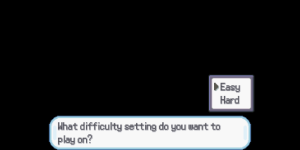 |
Select your preferred game difficulty:
|
| 2. Region Selection | 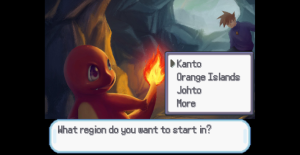 |
Choose the region where you wish to begin your journey.
|
| 3. Gender Selection | 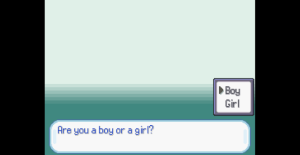 |
Select your character's gender:
|
| 4. Trainer Name | 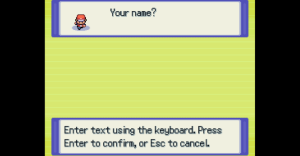 |
Enter your desired Trainer Name. |
| 5. Rival Name | 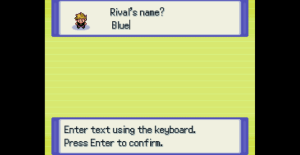 |
Enter a name for your Rival.
|


